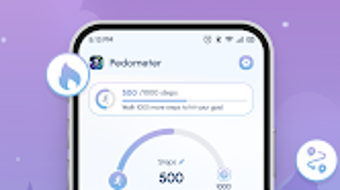

Download Walking Track – step tracking, pedometer, walking tracker, fitness tracker, health app, step counter, walking app, activity tracker, walking goals, fitness goals
Overview
Walking Track is a lifestyle-focused Android application designed to support users in monitoring their daily physical activity through precise step tracking. The software serves as a digital pedometer, helping individuals stay engaged with their health and fitness objectives by recording steps, distance traveled, and calories burned. It is particularly useful for users aiming to adopt or maintain an active lifestyle, including fitness enthusiasts, health-conscious individuals, and those seeking motivation through measurable progress.
The app enables users to set personalized walking goals and track their achievements over time, promoting consistency and long-term wellness habits. With built-in pause and resume functionality, users can manage tracking sessions during breaks or interruptions without losing data accuracy. The application presents progress through intuitive graphs and visual charts, allowing users to observe trends and celebrate milestones.
While the developer did not provide additional details about the company or its background, the app’s design reflects a clear focus on accessibility and user engagement. It is available for free on the Google Play Store, making it widely accessible to users across different demographics. Real-world usage scenarios include daily walks, fitness challenges, and routine health monitoring.
Key Features & Capabilities
- Step Tracking – Accurately records the number of steps taken throughout the day using built-in motion sensors, providing real-time updates on physical activity levels.
- Distance and Calorie Estimation – Calculates approximate distance traveled and calories burned based on step count and user input such as stride length and weight.
- Goal Setting – Allows users to define custom daily or weekly walking goals, helping maintain motivation and track progress toward fitness targets.
- Pause and Resume Functionality – Enables users to temporarily stop tracking during breaks and resume without data loss, improving accuracy during interrupted activities.
- Progress Visualization – Displays activity trends through user-friendly charts and graphs, allowing users to analyze performance over time and identify patterns.
- Activity Customization – Supports tracking for various physical activities, including walking, running, and cycling, with tailored tracking profiles for different movement types.
These features collectively support a seamless and personalized tracking experience. For example, a user can set a 10,000-step goal and monitor their progress throughout the day, receiving visual feedback when nearing completion. The pause and resume function is especially helpful during commutes or breaks, ensuring that only active walking time is counted. Customizable activity profiles allow users to adapt the app to different routines, making it suitable for both casual walkers and more active individuals. The integration of data visualization helps users understand their habits, encouraging continued engagement and healthy behavior change.
User Interface, Workflow & Performance
The user interface of Walking Track is designed with simplicity and clarity in mind, featuring a clean layout that emphasizes key metrics such as steps, distance, and calories. Navigation is straightforward, allowing users to access tracking, goals, and history with minimal effort. The workflow follows a logical sequence: start tracking, view real-time data, set goals, and review past sessions.
The app appears to prioritize responsiveness, with minimal delays during tracking sessions. However, exact performance details were not specified by the developer. Resource usage, including CPU and RAM behavior, was not disclosed.
Stability during extended use is not confirmed, but the app’s design suggests it is optimized for background operation. The developer did not provide information about battery consumption or sensor calibration processes. Users may benefit from consistent performance during regular use, though actual behavior may vary based on device hardware and Android version.
General software behavior patterns suggest the app maintains low system impact under typical conditions.
Compatibility & System Requirements
Walking Track is designed for Android devices and is compatible with the latest versions of the operating system. The app has a file size of 42.2 MB, indicating it is relatively lightweight and suitable for devices with moderate storage capacity. The current version is 2.0.3, released on February 1, 2024.
Specific hardware requirements, such as minimum processor speed or RAM, were not listed by the developer. Compatibility information was partially provided, with no mention of older Android versions or device types. The developer did not specify whether the app supports tablets or wearables.
Users are advised to ensure their device meets general Android standards for sensor functionality, such as access to accelerometers and GPS. Exact system requirements were not listed, so installation may depend on individual device capabilities.
Pros and Cons
Pros
- Free to download and use with no hidden costs
- Accurate step tracking with real-time updates
- Customizable goals and activity profiles
- Intuitive interface with clear data visualization
- Pause and resume feature for flexible tracking
- Lightweight size (42.2 MB) suitable for most Android devices
Cons
- Exact battery usage and sensor performance details were not provided
- Limited information on compatibility with older Android versions
- No official support for non-Android platforms
- Developer background and company details were not disclosed
- Performance under prolonged use not verified by the developer
FAQ Section
Is Walking Track available for iOS devices?
Currently, the app is only available for Android. There is no official version for iOS or other platforms.
Does Walking Track require an internet connection?
The app functions offline for basic step tracking. However, some features such as syncing data or accessing cloud-based analytics may require an internet connection.
Is the app secure and private?
While the developer did not provide specific details on data privacy or security protocols, the app does not appear to require excessive permissions. Users should review the app’s permission requests carefully.
How often does the app receive updates?
Version 2.0.3 was released on February 1, 2024. The update frequency is not publicly documented, but the developer has shown recent activity.
Can I use Walking Track without creating an account?
Yes, the app can be used without registration. All tracking data is stored locally on the device unless cloud sync features are enabled.
Final Thoughts
Walking Track delivers a reliable and accessible solution for individuals seeking to monitor their daily physical activity. Its core features—step tracking, goal setting, and progress visualization—are well-executed and tailored to users focused on health and fitness. The app’s lightweight design, free pricing model, and intuitive interface make it an attractive choice for both beginners and experienced users.
While some technical details such as battery impact and compatibility with older devices remain unclear, the app’s functionality appears stable and user-focused. It stands out as a practical tool for anyone aiming to improve their walking habits and maintain long-term wellness. For those looking for a free, no-frills pedometer with solid tracking capabilities, Walking Track offers a compelling option.
Download Walking Track now.







